Your team’s knowledge.
On your server.
Lunedo is an open-source Confluence alternative you host yourself: a wiki and knowledge base with every feature free.
What you get.
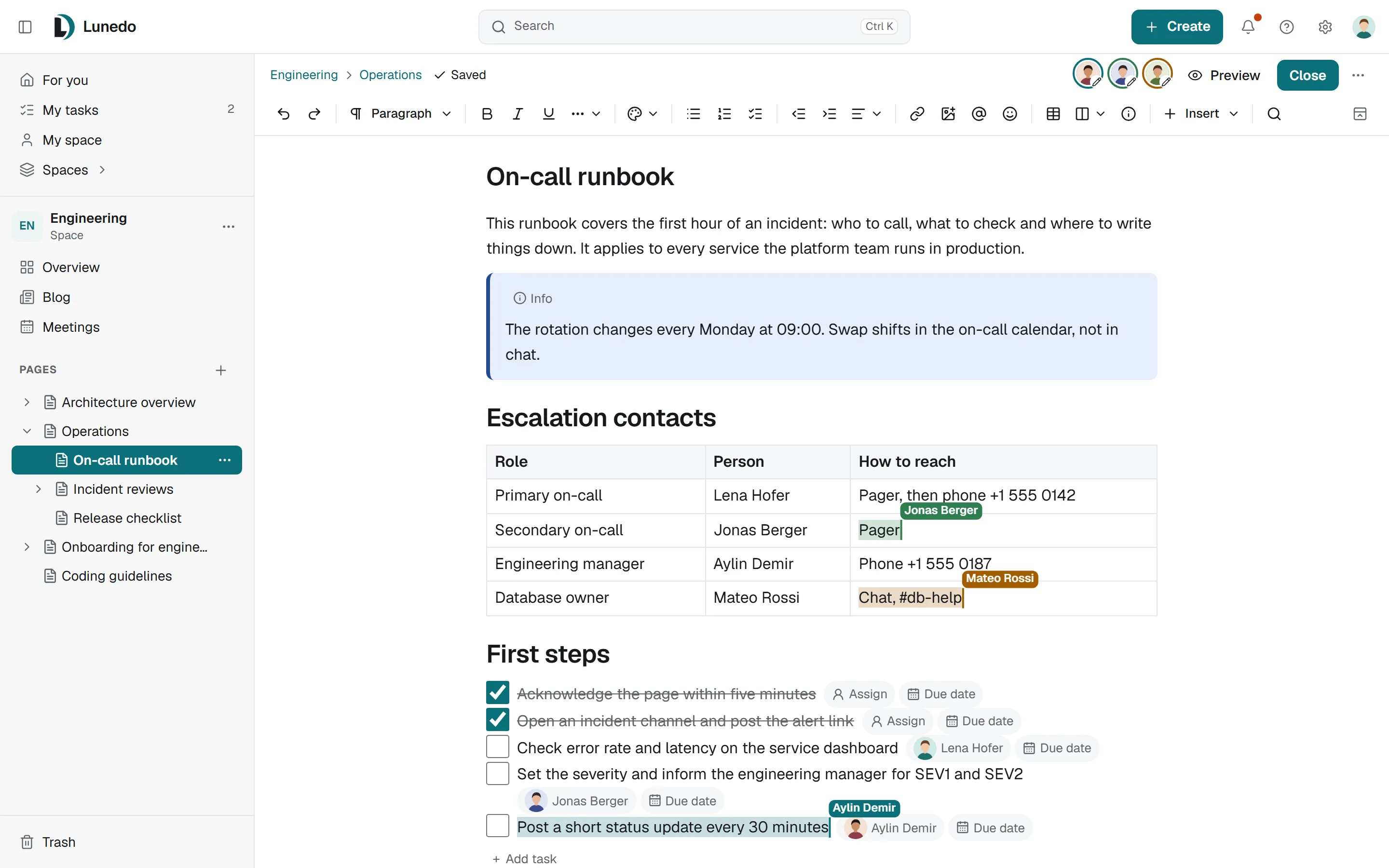
Everyone edits the same page at the same time.
Comments, tasks, versions and templates, with publish mode or live mode per page.
Editing togetherKnowledge basesHelp articles in a portal of their own.
Articles are written in the same editor, sorted into areas and topics, and read in a portal with its own search.
Knowledge basesLeave ConfluenceBring your spaces with you.
Import a space from an export file or directly from Confluence Cloud or Data Center, with pages, attachments, comments and page restrictions. Jira content is not imported.
ImportsEvery featureNo paid edition, no license key, no seat count.
Identity providersInstall.
Docker Engine 24 or newer with Compose v2, on Linux or macOS. Lunedo listens on port 3000 on localhost, for your reverse proxy.
curl -fsSLO https://lunedo.org/install.shless install.sh # optional: read it firstbash install.shThe script checks Docker, the disk and the port, writes compose.yml and .env, generates the secrets and prints the link to the setup assistant. Setup guide
name: lunedoservices: postgres: image: postgres:17-alpine restart: unless-stopped environment: POSTGRES_USER: lunedo POSTGRES_PASSWORD: ${POSTGRES_PASSWORD} POSTGRES_DB: lunedo volumes: - postgres-data:/var/lib/postgresql/data lunedo: image: ghcr.io/lunedo/lunedo:0.1.0 restart: unless-stopped environment: LUNEDO_DATABASE_URL: postgres://lunedo:${POSTGRES_PASSWORD}@postgres:5432/lunedo LUNEDO_INSTANCE_URL: ${LUNEDO_INSTANCE_URL:-} depends_on: - postgres ports: - 127.0.0.1:3000:3000 volumes: - lunedo-data:/var/lib/lunedovolumes: postgres-data: lunedo-data:Without a setup code, Lunedo prints the link to the setup assistant to its log:docker compose logs lunedo | grep "Setup link". The full Compose file is in theinstallation guide.
Built in the open.
Read the code, report a bug or suggest a feature on GitHub.